
Construction site photo documentation: How to organize 50,000+ project photos
Treat photo documentation as an asset, not a filing chore — organize photos by location, rebuild any day of the build, and get your invoices approved faster.
Request a demo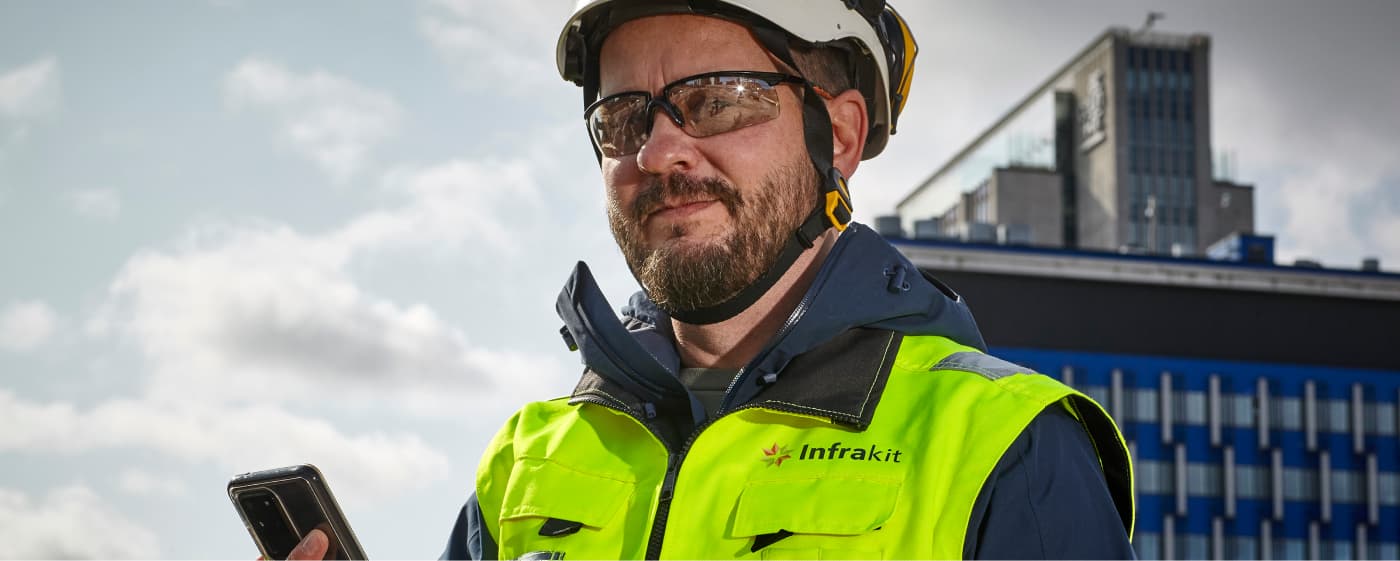
Why project photos become impossible to find at scale, why location beats folders, how orthophotos and 360s let you rebuild any day of the build, and how a well-kept photo record defends warranty claims and gets invoices approved faster.
Somewhere on your project right now, someone is taking a photo that won't matter for five years.
Then it'll matter more than almost anything else on the job…
A drainage coupling, shot on a phone the afternoon before the trench is backfilled. Today it's one frame among tens of thousands. Five years on, when that stretch of road settles and the owner asks whether the drainage was laid to grade, that single photo answers it in seconds — if anyone can find it. If nobody can, you're booking an excavator and burning a week to prove what a picture already proved.
That's the whole case for photo documentation in one picture. The value isn't in taking the photo, which your crews already do. It's in being able to produce the right one, instantly, long after the person who took it has moved on. A photo you can't find is worth about the same as one you never took.
So it's worth treating construction site photo documentation as what it actually is — an asset — rather than as a filing chore. Done well, a project's photo record defends warranty claims, gets invoices approved faster, disproves rework you would otherwise eat, and shows owners a level of transparency that wins the next contract. Done badly, it's fifty thousand images nobody can use. This article is about setting the standard among the construction industry.
Why you can't find the photo you need
Finding anything gets harder with scale, not easier. A contained building site might survive on shared folders. A thirty-kilometer alignment running through earthwork, drainage, base, paving, and structures produces photos faster than any filing system can keep up with, across crews and subcontractors who each have their own habits.
What you're left with is an enormous, genuinely valuable archive the project can't actually draw on. Sorting that out means getting the basics right: where the photos live, how they're organized, and what they connect to.
Where do 50,000 photos even live?
The first question every team eventually asks is the dullest and the most important: where does all of this actually go? Phones fill up. Drives fail. People leave, and their camera roll leaves with them — taking the only image of a junction that is now three layers down.
The fix is to stop treating photos as files on a device and start treating them as project data in one place. A cloud-based record holds every photo against the project rather than the person, so when a surveyor moves on or a foreman switches phones, the documentation stays put and stays complete.
It also means the archive is governed rather than improvised: Infrakit, for instance, keeps this data under ISO 27001 information-security standards instead of on whatever drive happened to have room. Storage stops being a recurring worry and becomes something you settle once.



Photo documentation management starts with location, not folders
Folders were never built for this. They ask whoever takes a photo to predict, right there in the moment, how someone will go looking for it years later — and almost nobody gets that right.
Location and time ask nothing of anyone: every photo already carries both, so they can't fall out of order the way a folder does.
When a photo is GPS-tagged and time-stamped as it's shot, it lands on the project map at the spot it depicts, on the day it was taken. Retrieval stops being a hunt and becomes a query: every photo between station 12+000 and 15+000, everything from the week the base went in, every progress photo a given crew filed.
Those are the same terms an audit or a dispute uses when it comes looking years later — by location, by date, by who was responsible.
For this to hold, capture has to survive real conditions: gloves, rain, glare, and the dead zones common on remote sites.
Documentation that only works back at the trailer, or only with a signal, quietly trains crews to text photos to each other instead, and the archive fragments again. Ellen Størkersen, BIM Coordinator at Risa, describes how low the bar should be:
"You do not have to jump into a machine or bring out GPS. Instead, you can use your mobile phone and get an overview of where you are and what is to be built."
Ellen Størkersen BIM Coordinator · Risa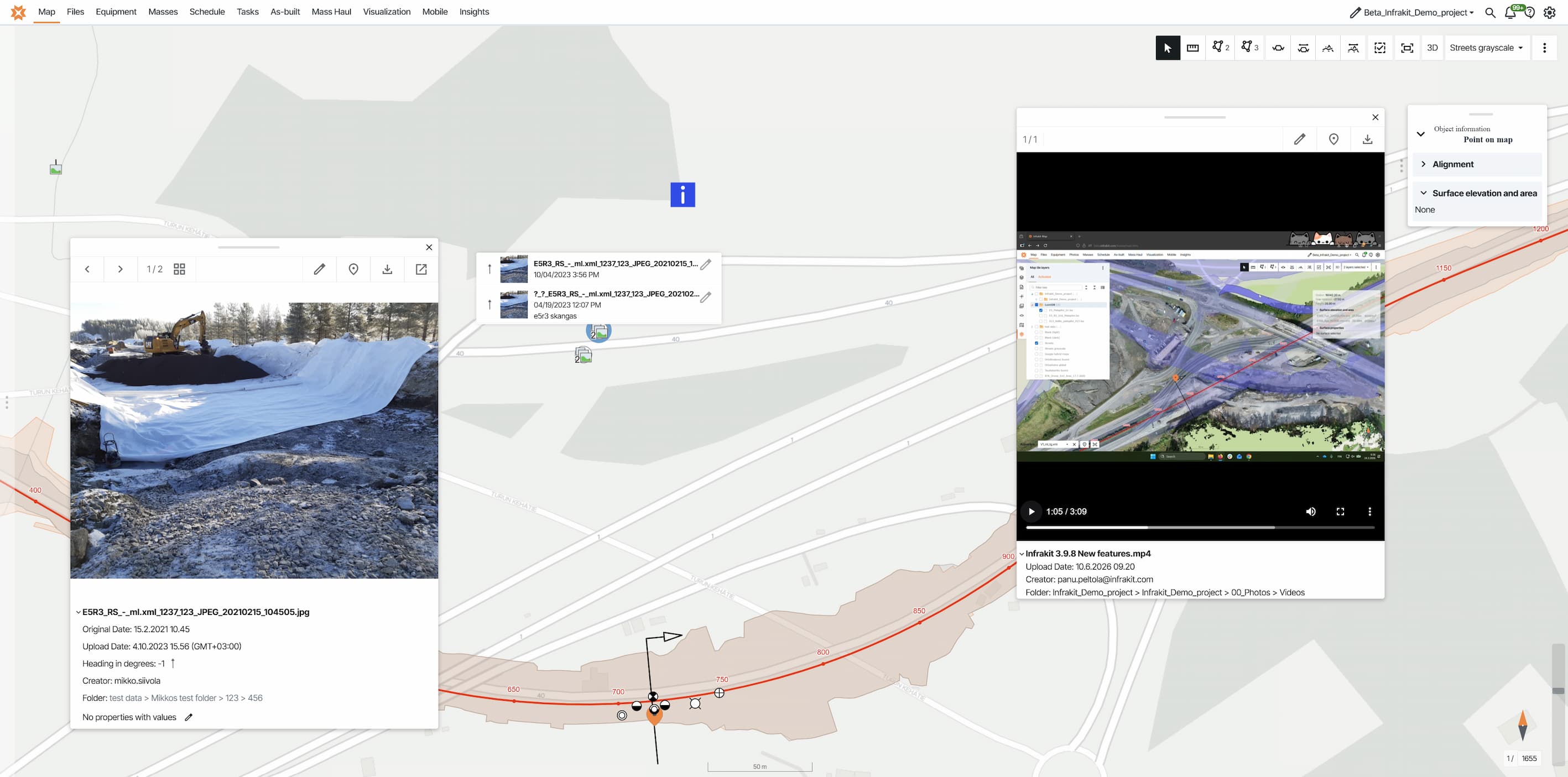
Construction progress photos over time: orthophotos and 360s
Individual photos answer "what did this look like." A good record answers something more useful: "what did the whole site look like, then." That is the difference between a gallery and a history.
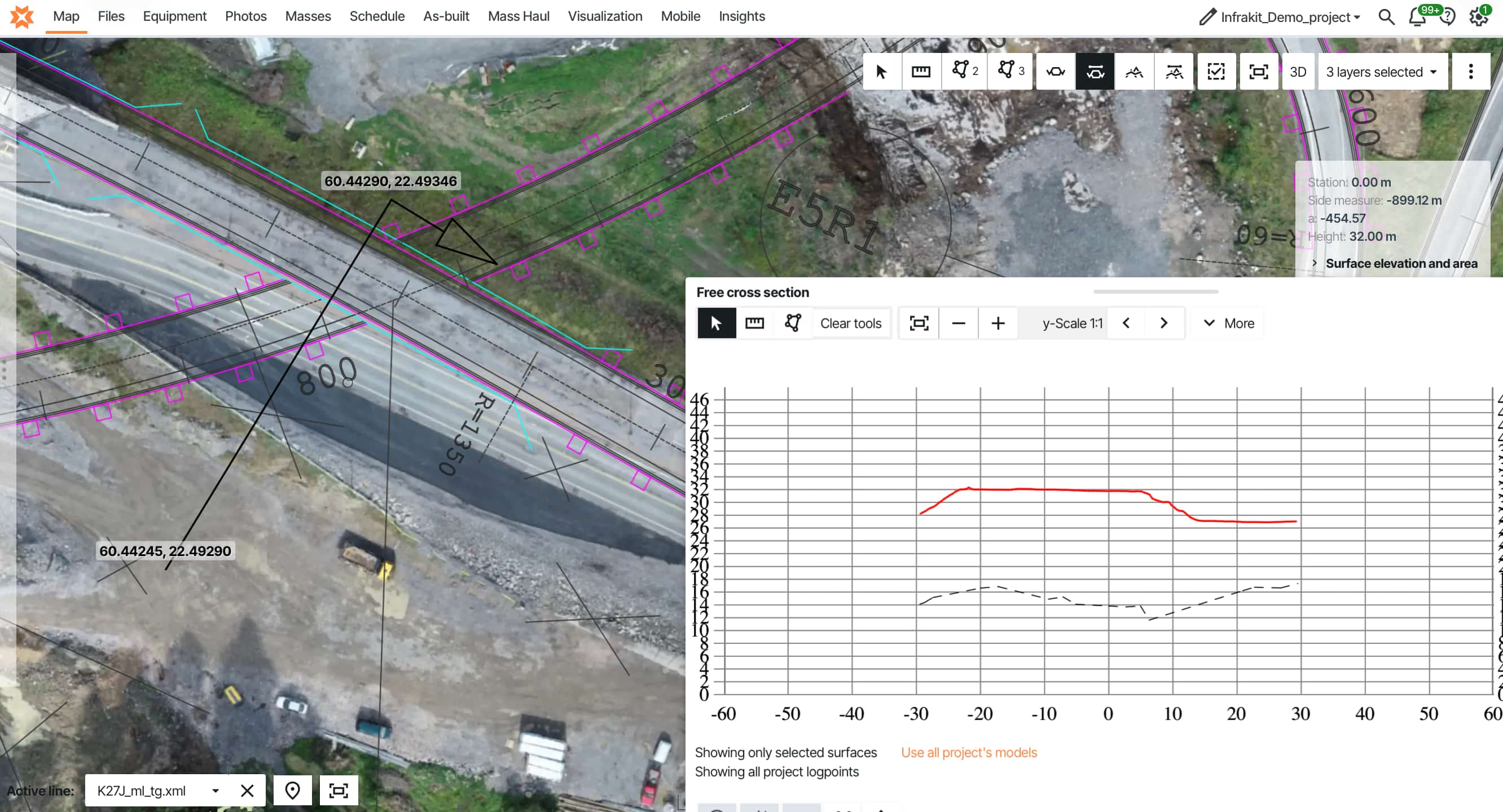
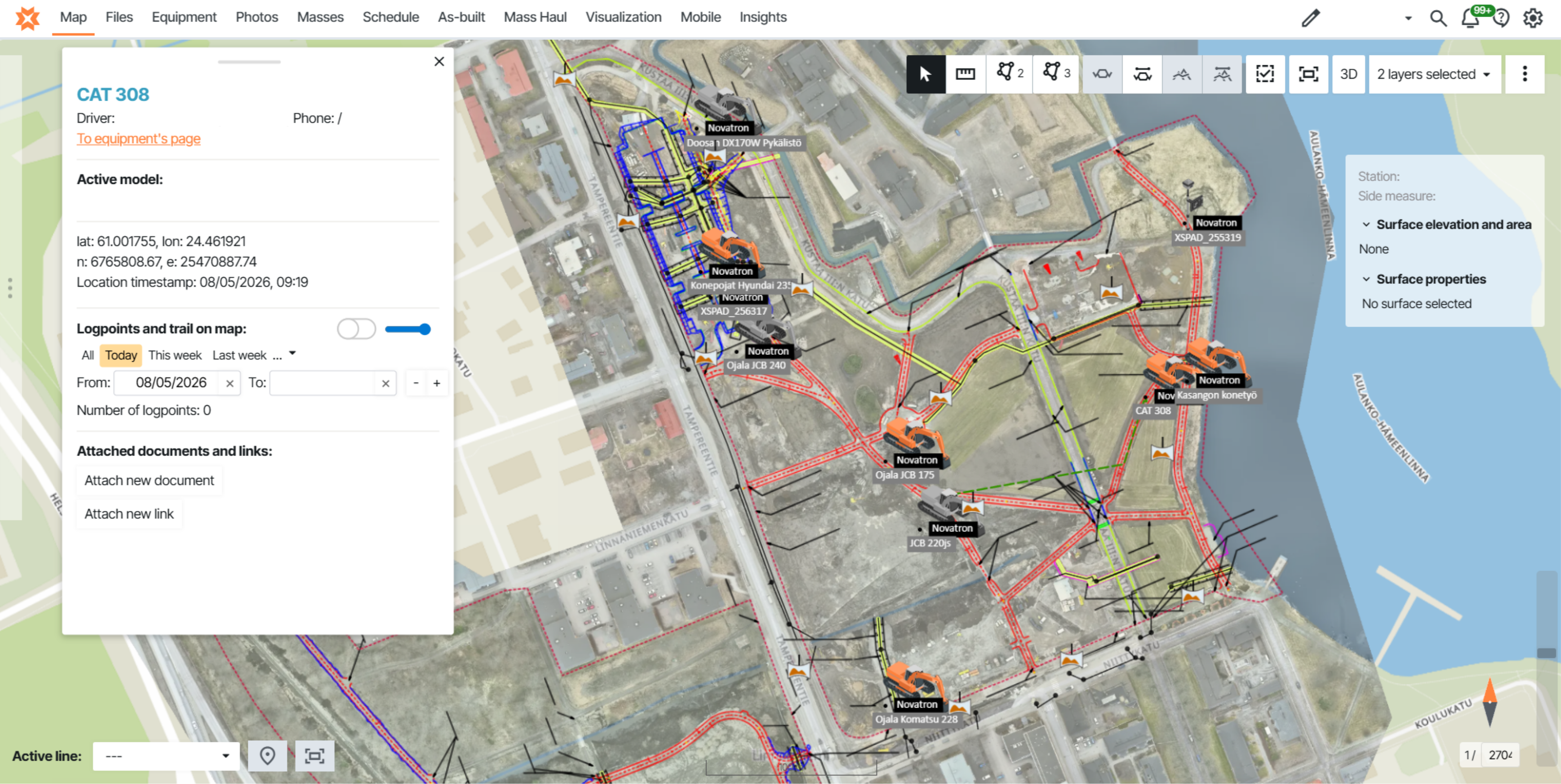
Upload a drone orthophoto once and current conditions appear for everyone — haul routes, excavation edges, equipment positions — on the same map as the design. Do it through the job and you build up a dated sequence you can scrub through, toggling to any month to see that period's orthophoto, machine tracks, and field photos together.
For panoramic context, photos placed in a 360 set open in a 360 viewer, so a reviewer can stand virtually at a spot instead of squinting at a flat frame.
None of this is decoration. For buried work like drainage, utilities, and base layers, the orthophoto from installation week becomes your only proof once backfill happens, and the monthly history is what answers a warranty question five years on without hiring an excavator to go looking.
Stop hunting for the photo that matters
See how infrastructure teams organize tens of thousands of site photos by location and date — so the right one is a few seconds away, even years after handover.
Documentation that gets you paid faster
Photo documentation has a commercial edge that rarely gets discussed: it shortens the distance between finishing work and being paid for it.
Interim payments stall when the client's engineer cannot quickly verify what was actually completed. When completion status, inspection data, as-built measurements, and the photos that back them up all sit on one view — overlaid, dated, located — the approval stops being a negotiation over whose records to trust.
The contractor at Tieluiska Oy builds payment approvals exactly this way, on saved views that show completion against the orthophoto so the process is transparent and verifiable rather than a paperwork exchange. A valuation that can be checked at a glance is a valuation that gets signed sooner, and an invoice that goes out sooner.
The same transparency is increasingly what owners and procurement want from the start. Rather than waiting for a report compiled days after the fact, an owner can see quality documentation as the work happens—on Kreate's projects, real-time quality records let the client verify during construction instead of after, which cut both administrative back-and-forth and rework from late-discovered issues. For an owner weighing who to award the next contract to, a contractor who can open the book mid-project is an easier risk to take.
Everything on one map — and it stays there
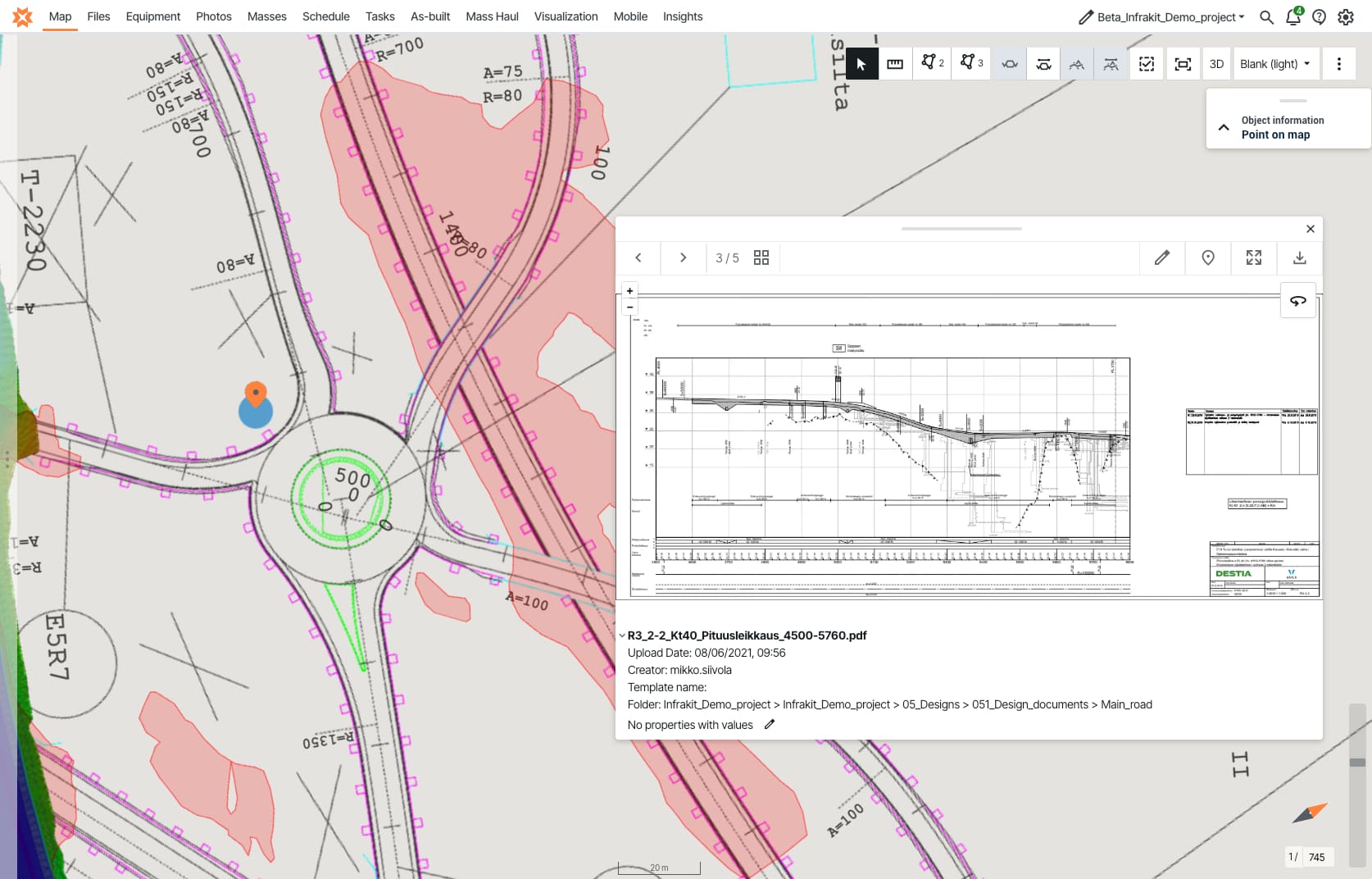
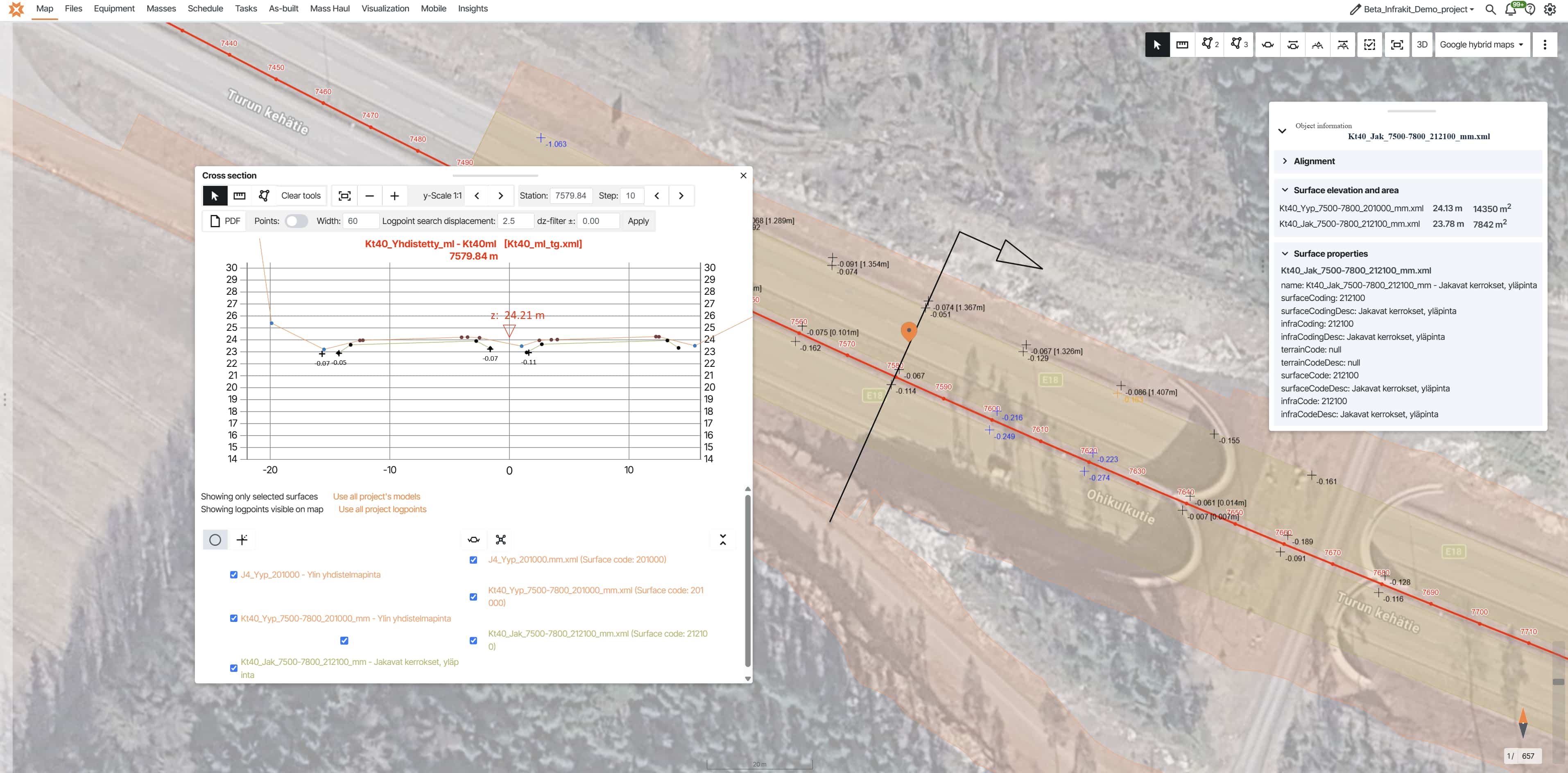
A photo is worth most when it isn't alone. On its own it shows a pipe; beside the as-built point that proves the pipe was laid to grade, and the machine track that shows when, it becomes a verifiable account of the work.
That is what turns "we have photos" into "we can show exactly what was built here, to what tolerance, and on what date" — the question quality audits, handovers, and disputes all eventually ask.
The reason scattered documentation fails is that the photo, the as-built point, the design model, and the drone image live in different systems, and stitching them together is somebody's afternoon.
On one map they share coordinates, so a question about station 18+000 is answered by everything that happened there at once — the measurements and log-points coming straight off the excavators into the same platform as the photographs, with no extra software in between.
It also has to live somewhere durable. Not on a phone, a laptop, or a drive in the site office, but in a central cloud record held against the project, not the person, so when a foreman changes devices or moves on, the photographs don't leave with them.
For owners and procurement teams who care about governance, it matters that the platform holding that record meets ISO 27001 standards for information security. The archive survives the warranty period because it was never tied to a person or a piece of hardware in the first place.
Fifty thousand photos aren't the problem. Fifty thousand photos nobody can find are.
Book time with our experts to see how Infrakit Field would turn your project's photo record into something you can actually use.
Proof from real projects
The teams that get the most out of documentation treat it as part of the work, not an afterthought to it. The examples below span different countries and different kinds of work, but each one fixed the same nagging problem: never being able to find the photo that mattered.
In Norway, the Public Roads Administration chose Infrakit for its E18 Vestkorridoren on the strength of photo handling itself. The plain test of whether a photo system is worth having is whether you can get the right picture back out.
"Easy to upload, find, sort, and, in retrospect, take pictures."
Project team E18 Vestkorridoren · Norwegian Public Roads AdministrationIn Finland, Tieluiska Oy runs street, municipal, and utility work where progress is hard to read on the ground. By putting field photos, as-built points, and inspection data on the project map, the team made completion legible at a glance and built its client payment approvals on those same verifiable views.
"Understanding completion status is much easier when it is presented visually on a map."
Tieluiska Oy Urban infrastructure · FinlandIn Estonia, the Road Administration ran a pilot specifically to bring this way of working into its own projects. As Anti Palmi, who led road construction and maintenance there, described it, the advantage shows up in the field: the owner sees the record directly, rather than waiting for it to be assembled.
"Take the whole project documentation everywhere with smartphone or tablet."
Anti Palmi Road construction and maintenance · Estonian Road AdministrationPutting it into practice
None of this asks your crews to change how they work — only where the photos end up. Once they're organized by location and time, any photo is a few seconds away instead of buried on a phone that may have left the project.
Over the length of a job those photos add up to a record you can rewind to any day of the build, and because each one sits beside the as-built and machine data, a picture no longer just shows a pipe—it shows the pipe was laid to grade, on that date.
And it all lives in one central place, so it's still there long after the crews and their phones are gone. The payoff is simple: you stop losing hours hunting for photos, and you can prove exactly what was built the moment anyone asks.
Infrakit Field is built for exactly this. A photo taken on a phone uploads with its location attached and a quick description, drops onto the project map at the spot it was taken, and can be found again in seconds by location, date, or who took it — alongside your models, as-built data, and orthophotos.
Because Field is part of the wider Infrakit platform, your photos and the day-to-day construction field reporting around them stay in one place instead of separate tools.
For the bigger operational picture, the guide 10 Steps to Deliver Infrastructure Projects On Time & On Budget collects what teams on the Tampere tram, Norway's E6, and Austria's A9 learned about documentation, quality control, and handover.
Frequently asked questions | What is construction site photo documentation? How do you organize tens of thousands of construction photos? Where should construction site photos be stored? How does photo documentation speed up invoicing? Can you prove buried work with photos years later? What should you look for in construction photo documentation software? |