
BIM and design visualization for infrastructure projects
3D visualization, IFC support, clash detection, and design coordination on one platform. Stop losing time to disconnected systems between design and field.
Request a demo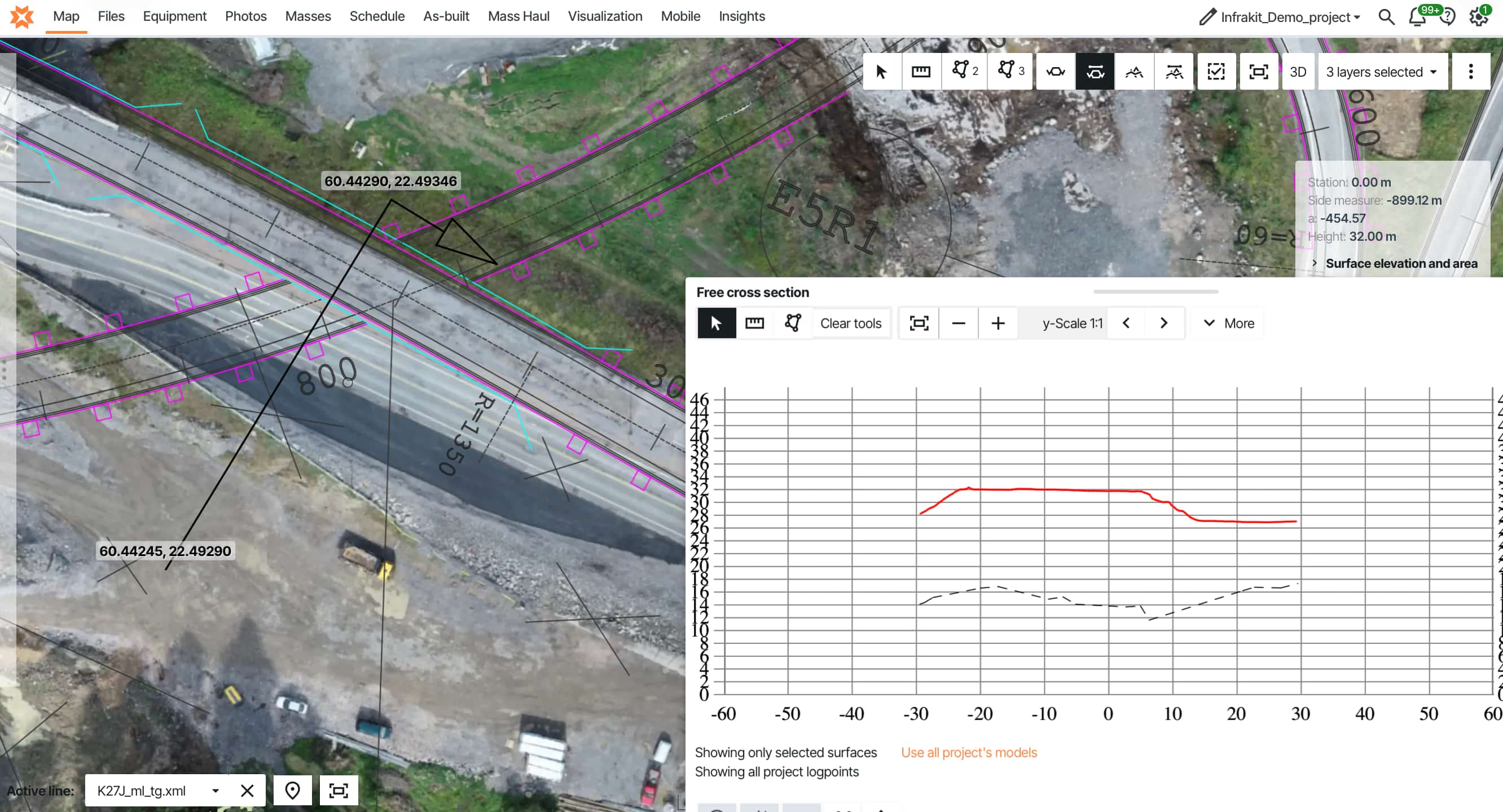
Why the gap between Design BIM and Construction BIM costs millions on infrastructure projects, how IFC and open standards close it, and how teams at Colas Hungary and PEAB connected 3D models to field equipment, machine control, and quality workflows on one platform.
The design team delivers a coordinated 3D model. Months of work in AutoCAD Civil 3D, Bentley MicroStation, Tekla Structures. Highways, bridges, utilities — all modeled with intelligent data. Clash detection ran. Everything's approved, ready to build.
You open the file transfer and get PDFs.
Yeah, PDFs.
Now someone on your team manually converts files to LandXML for machine control. Your field crews need tablet access but the model only runs on desktop workstations. Survey data lives in completely separate systems. Your chief surveyor rebuilds the entire model from scratch.
This gap between Design BIM and Construction BIM costs millions in coordination failures, manual file conversion, and administrative overhead. Contractors rebuild models from PDFs. Surveyors spend 15–20 hours weekly juggling manufacturer portals. Design changes don't reach all systems.
The difference isn't switching to new BIM software — it's connecting the tools you already use so design models flow to construction without manual conversion.
Let's look at what this means for infrastructure projects.
What is BIM for infrastructure?
Construction BIM is where those carefully coordinated design models meet messy field reality. It's about adapting design data for the people actually building your project — making models accessible on tablets, compatible with GPS-guided equipment, and usable by crews who aren't CAD experts.
The core idea: one exported model flows from design to field equipment. No rebuilding. No manual conversion. One coordinated model everyone can access. Construction BIM runs on LandXML for earthworks and roads, IFC for structures. GPS equipment reads LandXML. IFC keeps all that intelligent object data intact across platforms.
But here's what actually happens on many projects: designs get handed off as PDFs. The chief surveyor rebuilds the entire construction model from scratch. Days of wasted work. Conversion errors that wouldn't exist if proper formats were used from the start.
Use of BIM in construction site management
Tablet visualization. Tap a location, view utilities in 3D, see instantly how things stack.
Volume calculations. Compare current terrain against design grade. Get exact cut and fill quantities — not estimates.
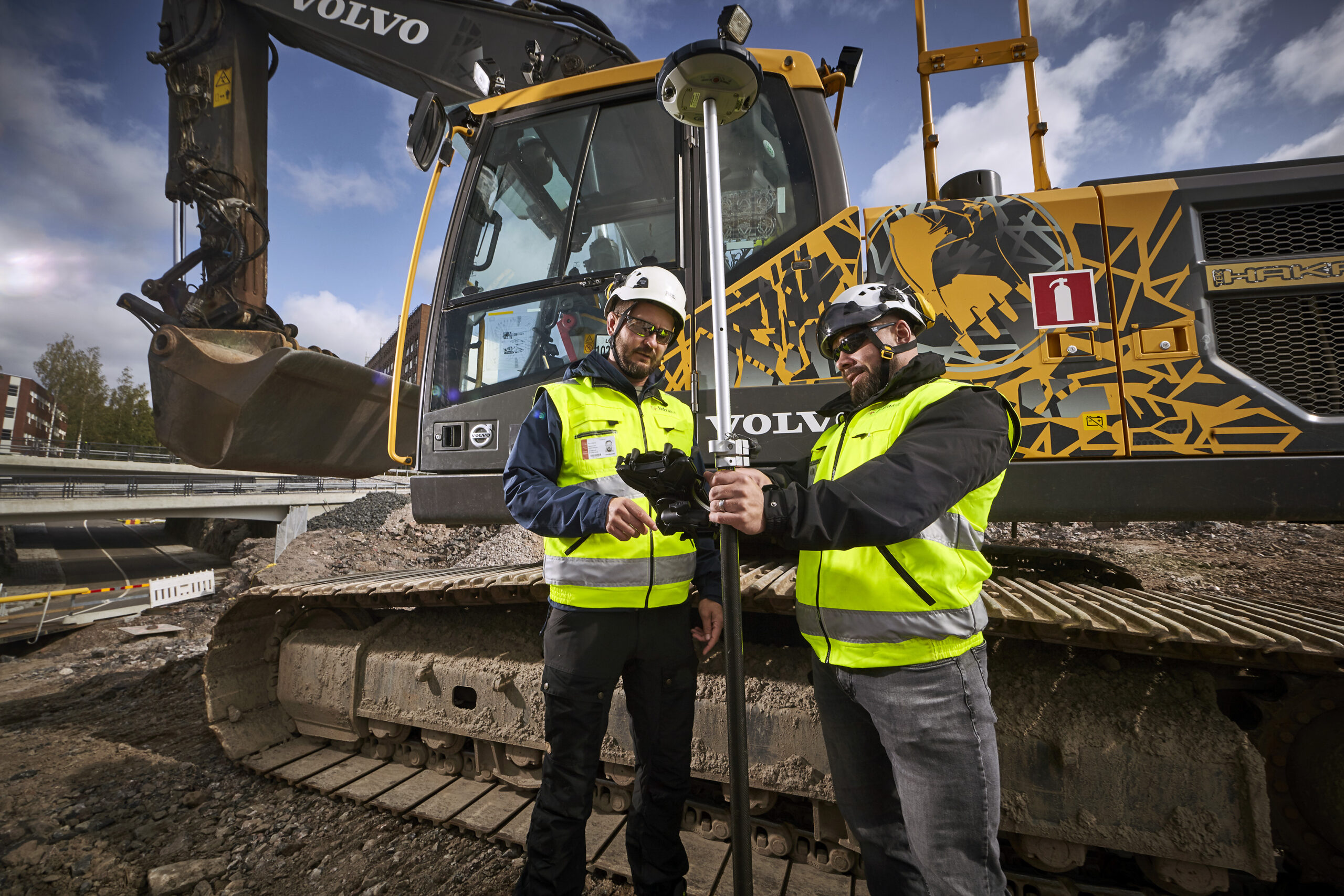
Machine control. Export surfaces directly to GPS equipment. Operators see real-time guidance. On automated systems, hydraulics adjust automatically.
Survey layout. Load design models straight to survey equipment. Layout points, verify as-built, compare installed work against design.
All this happens in actual field conditions — limited connectivity, tablets with way less power than design workstations, gloves, rain, bright sunlight.
Why infrastructure needs this
On a 30-kilometer highway with work happening simultaneously at multiple stations, buried utilities you can't excavate to verify, and earthwork volumes where 2% accuracy differences cost hundreds of thousands — without construction BIM, you're guessing. With it, you're measuring.
Design BIM vs Construction BIM
The handoff between design and construction is where BIM falls apart. Design models run on serious workstations. Construction needs those same models on tablets and machine control systems with a fraction of the processing power. Infrastructure projects are full of surprises — unexpected rock, weak ground, utility conflicts. Refined models need to reach the field in hours, not weeks.
Here's the uncomfortable part: many contractors pay twice for BIM. Once for design coordination that arrives as PDFs. Again when they recreate construction models from scratch because the coordinated 3D data isn't in usable formats. The "build before you build" concept works great for design coordination — but if those models don't reach crews and machines, the industry is missing most of the value.
Tero Maijala, land surveying specialist: "I was building infra and working with Infrakit almost daily since the beginning of the 2010s. The gap between design models and what we could actually use on site was the limiting factor." The solution isn't better design software — it's a platform that connects design output to construction workflows. Learn more about the Design BIM vs Construction BIM challenge →
Why 3D visualization matters for infrastructure
The real value isn't stakeholder presentations. It's field teams catching problems before work gets buried.
Show a local council 2D cross-sections of a highway interchange and you'll spend an hour explaining. Show them a 3D model they can rotate and fly through? They get it immediately. Public consultations that used to need multiple meetings happen in one session. But here's the real value: field teams accessing 3D models on tablets at the point of work.
Clash detection across disciplines. Load all disciplines into one model — civil, structural, utilities, drainage. Run automated clash detection. Water main conflicts with bridge foundation. Storm sewer conflicts with sanitary sewer. 147 clashes detected. Fix them in design? Cost is engineering time. Find them during construction? Tens of thousands per conflict. Teams using BIM coordination consistently report fewer RFIs during construction.
Faster stakeholder alignment. Infrastructure projects have dozens of stakeholders. Getting alignment using 2D drawings takes months. Present the design in 3D and stakeholders see exactly what you're building. See how machine control systems use BIM data →
The drain installation looks correct in plan view. Check the 3D model — the slope's backwards. Water will pool instead of draining. Catch it now before backfill? Two hours to fix. Discover it later when pavement ponds water? Dig up the entire section and rebuild.
This is where 3D visualization pays for itself. When buried work is about to get covered, the model shows what 2D drawings can't communicate clearly. Problems caught early cost a fraction of problems discovered later.
Automated quantity takeoffs. The 3D model knows what everything is and how much there is. Design changes? Quantities recalculate automatically. On a project moving 100,000 m³ of earth at €20–35/m³, that's a €2–3.5 million earthwork budget — where every percentage point of error means €20,000–35,000 in unexpected cost. Without BIM, someone recalculates manually every time — with room for error each time.
Construction planning. Visualize access routes, staging areas, equipment positions in 3D. Discover that bridge girders won't fit the planned haul route — clearance is too tight. Find a different route before ordering girders, not after they arrive on site.
4D sequencing. Add time to the model and watch the project build in sequence. See how work zones interact, identify conflicts between phases, and solve them in planning instead of in the field.
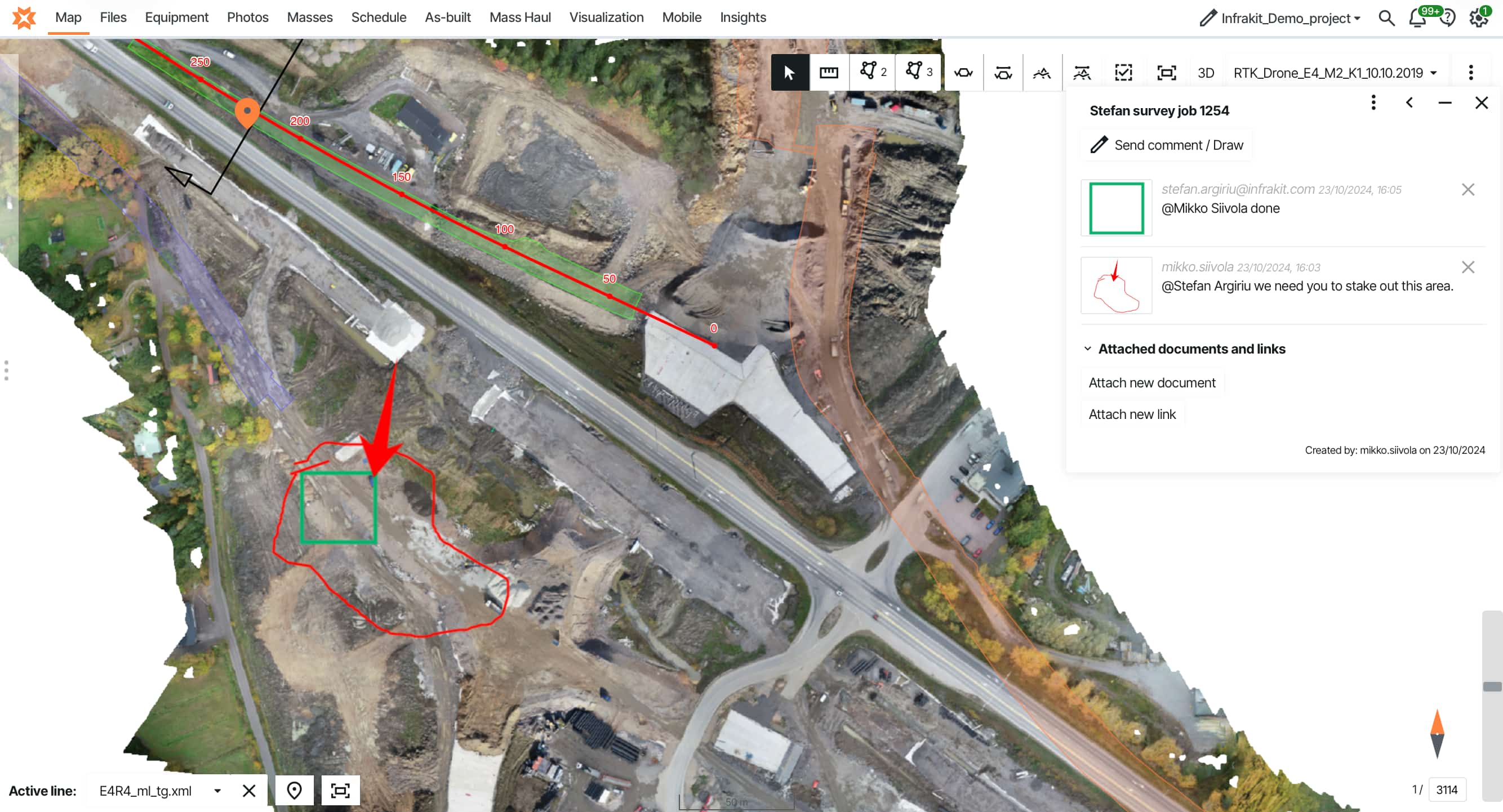
As-built records. As-built survey data feeds back into the model. Years later when maintenance is needed, you have accurate 3D records. For buried utilities, this is the difference between "we think it's around here somewhere" and "it's at these exact coordinates." See how field reporting integrates with BIM models →
Connect BIM models to machine control, field reporting, and survey data
IFC support, LandXML export, tablet-accessible 3D visualization, and automatic design change distribution — all on one platform. Stop rebuilding models from PDFs.
"Infrakit was the only one who could give us a complex solution that we actually need — for the construction needs, for the constructors."
Dávid Kathy BIM Manager · Colas Hungary


IFC format and open BIM standards
The design team uses one software platform, the contractor uses another, the owner wants deliverables in a third format. Without a common exchange standard, BIM becomes "everyone creates 3D models that nobody else can open."
Industry Foundation Classes (IFC) solves this. Open, standardized file format for BIM data. Think of it as PDF for 3D models — software-agnostic, preserves information across platforms.
Civil engineer designs in AutoCAD Civil 3D, exports to IFC. Structural engineer opens that IFC file, adds bridge structures, exports updated IFC. The contractor opens the file in viewer software. The owner receives IFC deliverables they can open now and twenty years from now — no risk of proprietary software becoming obsolete.
Model quality and intelligent data. IFC preserves more than geometry. When you export a bridge pier to IFC, it arrives as a bridge pier with material specifications, load ratings, design parameters — not just shapes. This matters for owners managing assets over decades.
A proper IFC model contains:
- >Component classifications (what each element is)
- >Material properties (concrete grade, steel specifications)
- >Geometric relationships (what connects to what)
- >Maintenance schedules and warranty information
- >Installation dates and responsible parties
Infrastructure owners increasingly mandate IFC deliverables because a quality BIM model becomes the digital twin for facility management. When planning maintenance ten years later, query the model for "all bridge bearings installed in 2025" and it tells you exactly where they are and when they need inspection.
The catch: IFC was originally developed for buildings. Infrastructure needs alignment-based geometry, linear referencing, earthwork models, road corridors. IFC support for infrastructure elements has improved, but not all software implements it consistently.
Practical approach: Use native formats during design for full functionality. Exchange via IFC for coordination and review. Deliver final models in IFC with proper data attached for long-term owner access and asset management.
"It made field logging easier, simpler, and more transparent. It works especially well for more linear facilities."
Márk Zámbó Project Leader · Colas HungaryDownload: 10 Steps to Deliver Infrastructure Projects On Time & On Budget
Learn how teams on the Tampere tram, Norway's E6 highway, and Austria's A9 motorway connect BIM workflows to field construction — including design distribution, quality control, and as-built documentation.
Infrastructure projects using BIM coordination
Colas needed to scale digital workflows across 1,000 employees — not just new software, but a company-wide operating model that field teams would actually use. The platform became the center: BIM models, machine control, site reporting, and field documentation all on one map. When people heard "we're using Infrakit on this project," they understood: BIM approach, machine control, data-driven coordination meetings.
Read more about Colas Hungary →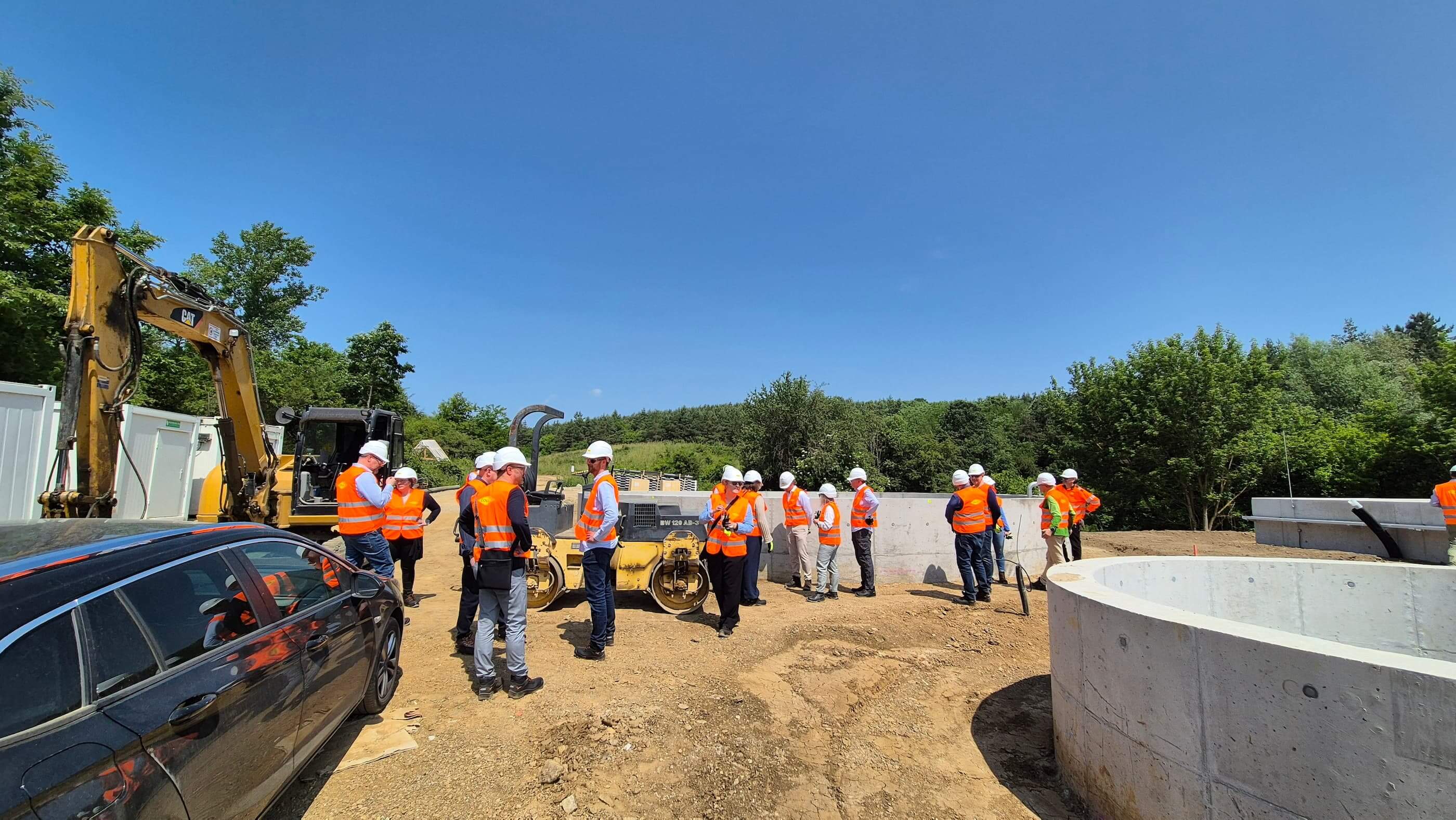
PEAB's E6 Moelvkrysset took the integration further. Design models, monthly drone orthophotos, machine control data, and field documentation — everything on one platform instead of five disconnected portals. A design change comes through and distributes automatically to every machine and field tablet. Everyone works from the same information within minutes, not days.
"Instead of going through five different portals, it now sticks with one. Overall, this provides much more efficient machine control."
Eirik Frimannslund Survey Manager · PEAB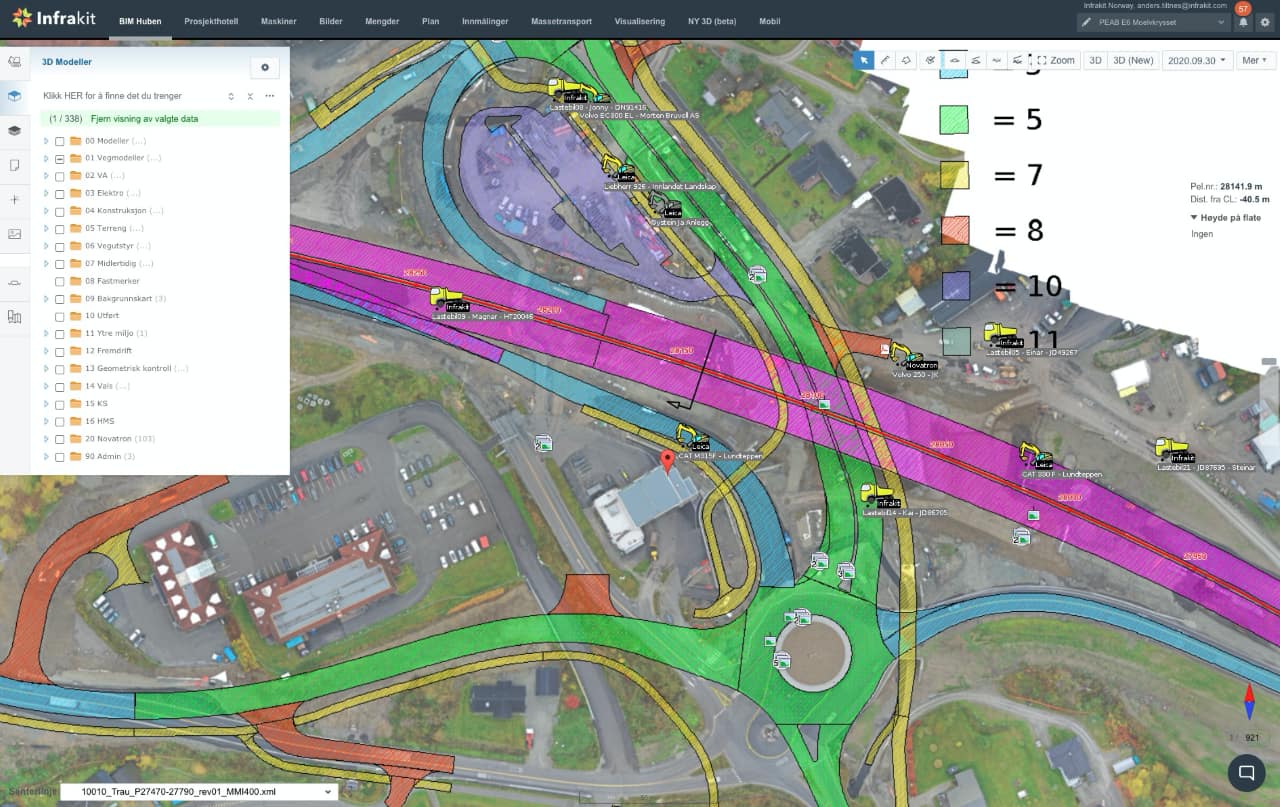
Choose what works for your projects
The technology works — coordinated 3D models prevent conflicts and create accurate records. The challenge is making those models accessible throughout construction.
When evaluating BIM for infrastructure, ask: Can contractors and field teams actually access the models? Or do they need expensive CAD licenses just to view design intent? Does the model connect to construction systems — machine control, field documentation, survey data? Or does everything stop at design handoff?
Can you exchange models in open formats like IFC and LandXML? Or are you locked into proprietary formats that only work with specific software? When design changes happen, does the model distribute automatically? Or does your surveyor spend hours uploading files to different manufacturer portals?
For complex projects — multi-discipline work, multi-year timelines, dozens of stakeholders — you need platforms that connect BIM to construction workflows, not just viewers that show pretty pictures.
Infrastructure owners mandate BIM deliverables because a coordinated model with proper data becomes the digital record for facility management and future renovations. This only works if models get delivered in open formats that stay accessible for decades, regardless of which software exists.
For contractors, it's not about whether to use BIM. It's about whether your BIM workflows connect to construction or stop when design ends. Teams that make this connection catch problems earlier, reduce rework, and produce as-built records that actually help when issues appear years later.
Ready to see how this works? We'd be happy to show you. Request a demo →
Frequently asked questions | What's the difference between BIM for buildings vs. infrastructure? Do we need expensive software licenses for everyone? Can BIM models integrate with machine control systems? How do we handle IFC files from multiple disciplines? What happens to BIM models after construction? Does BIM work on smaller infrastructure projects? |