
Release 3.9.9 focuses on removing the manual work that slows down two things every site team does constantly: calculating masses and finding files. Alongside that, video finally has a home in your project, and the file tree gets a redesign that makes navigating large projects noticeably faster.
This is a release built around a simple idea: the tools you use every day should require fewer clicks, not more.
Volume calculation, levelled up
If you run mass calculations on your site, you know the ritual. Carefully clicking around model edges to define a calculation area, hoping you did not miss a corner, then doing it again next month. Site managers told us this was the slowest, most error-prone part of an otherwise fast workflow, so we removed it.
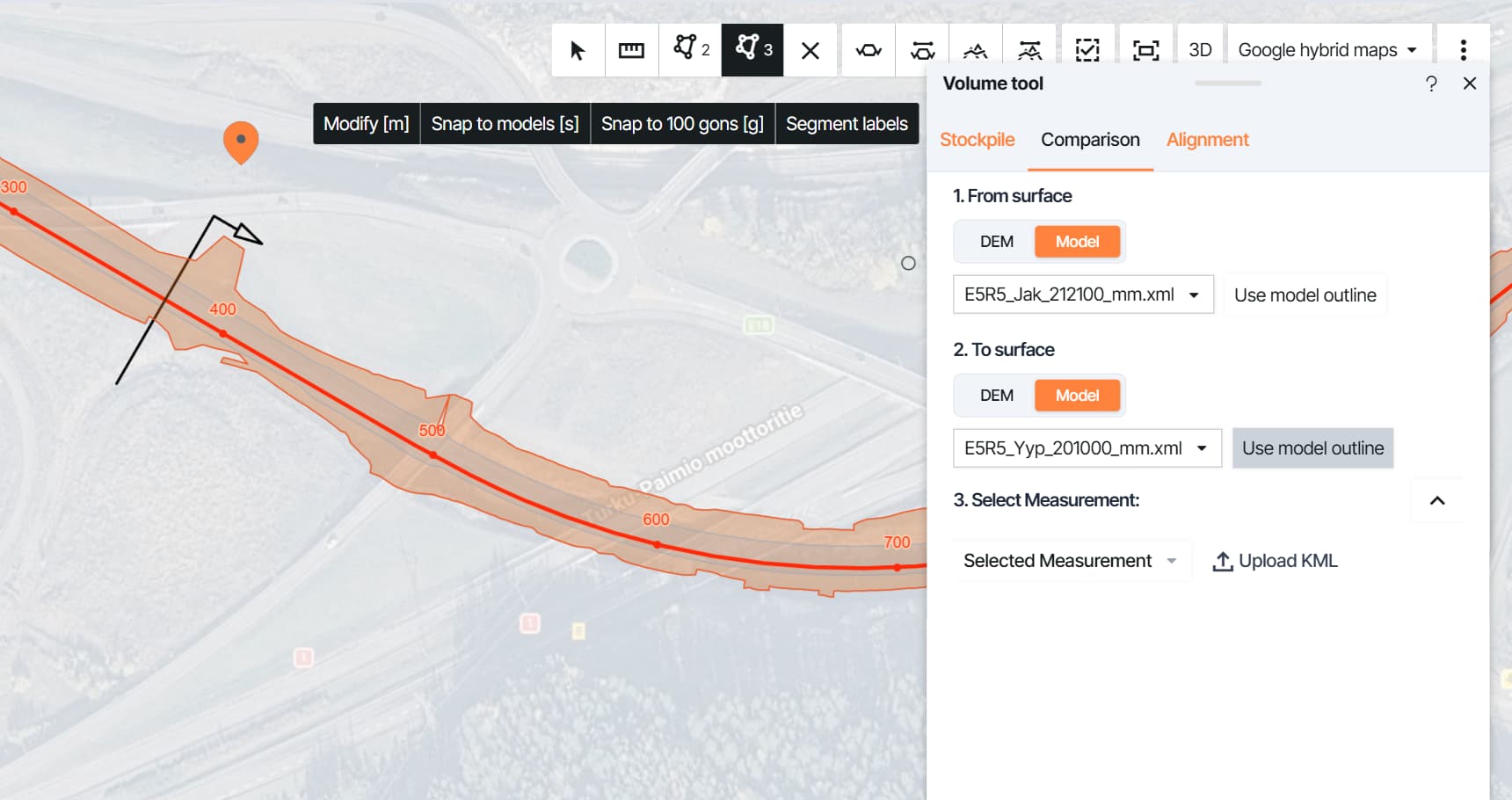
Whole-model volume calculations now take one click. Infrakit uses the model’s own outline as the calculation boundary, so comparing your full design model against the latest drone DEM goes from minutes of tracing to a single selection, with a boundary that is exact every time.
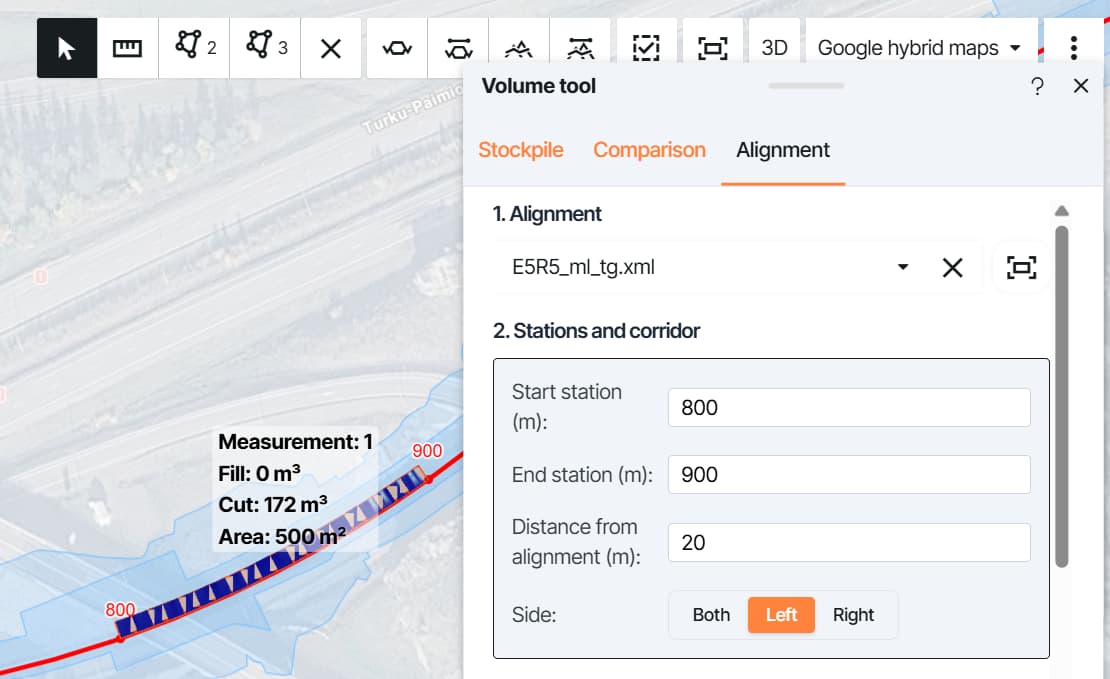
Road and railway projects do not think in polygons; they think in stations along an alignment. Mass calculations can now be run directly along your alignment, with calculation limits and completion thresholds, just as model-based tasks work.
Why it matters
- Recurring volume reporting takes a fraction of the time it used to.
- Boundaries are exact, removing any doubt about whether an edge was traced correctly.
- Alignment-based projects get a calculation method that matches how they actually plan work.
Videos, now in Infrakit
Some things a photo cannot capture: a drone overview or a walkthrough of a problem spot on site. Until now, these videos lived in file management galleries and chat threads, disconnected from the project they belonged to.
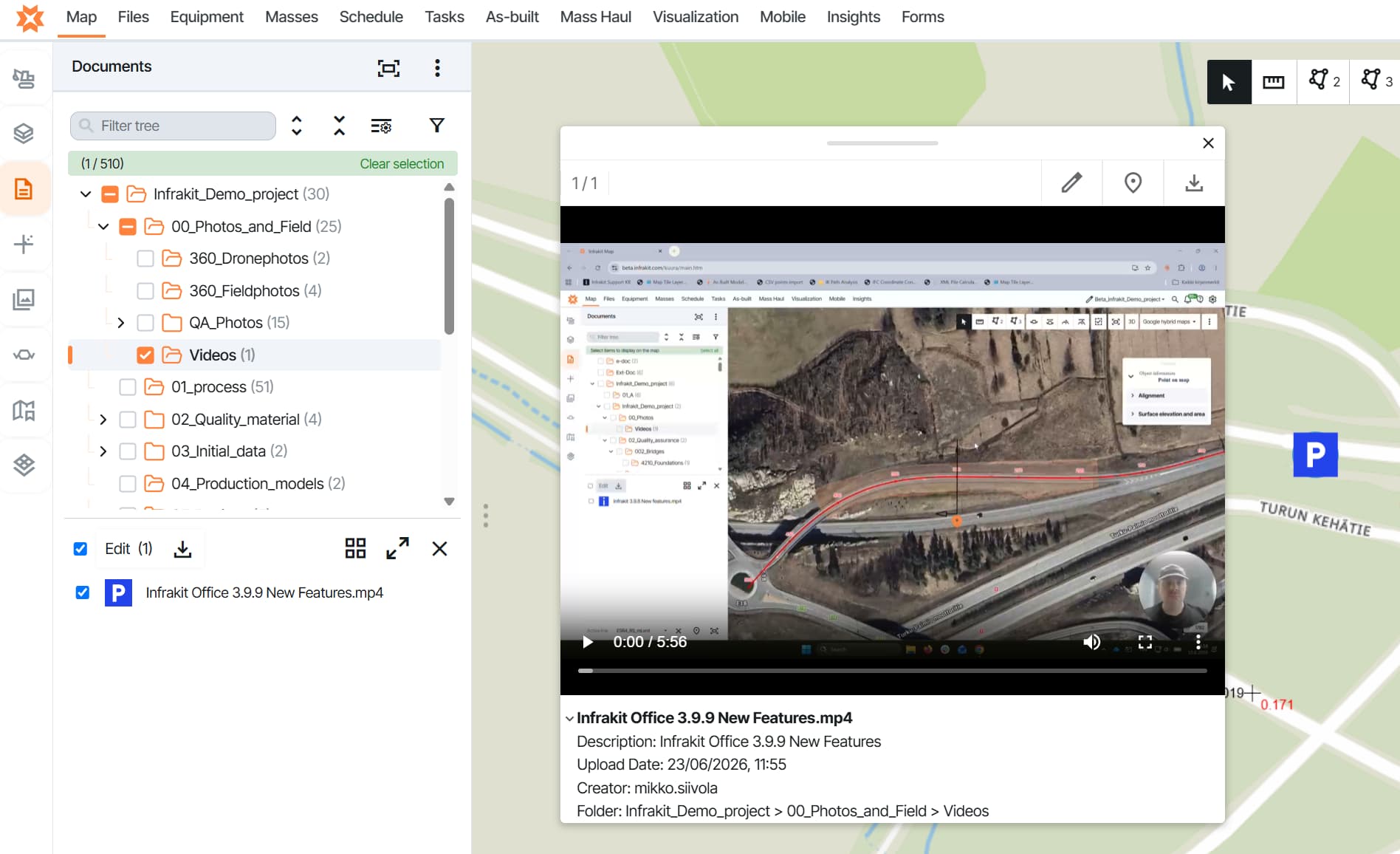
Infrakit now supports video as a file format. Upload your site videos and view them directly in Infrakit, right alongside your photos, models, and documents, in the same place where the rest of your project documentation already lives.
A fresh, modernized file tree
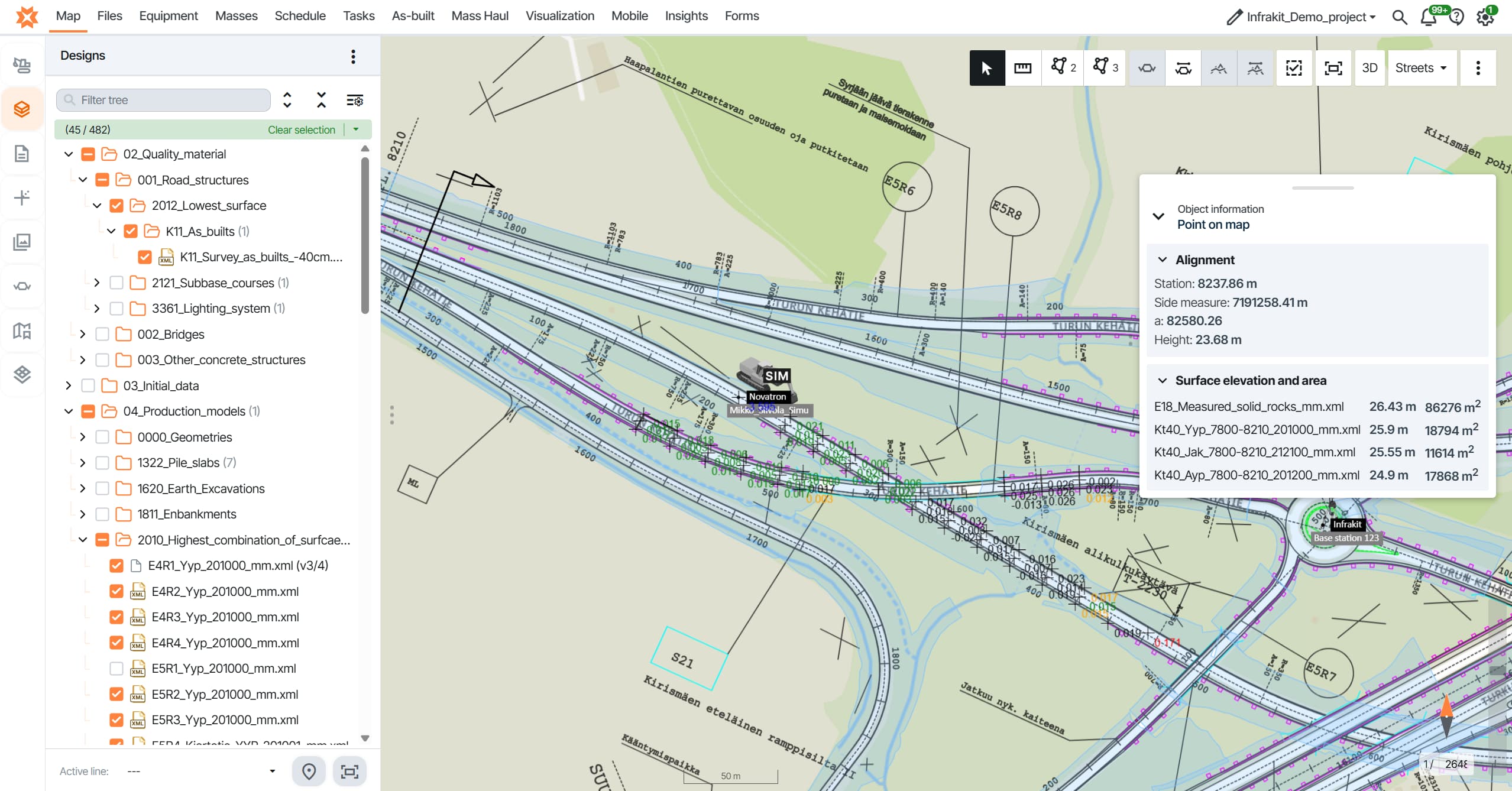
Hundreds of folders, thousands of files; the old file tree made you work for every one of them. The map page now uses a redesigned file tree and sidebar with cleaner visuals and clearer selections.
Why it matters
- Spend less time hunting for the right folder or file.
- Get a clearer view of what is selected on the map at any given moment.
Also in this release
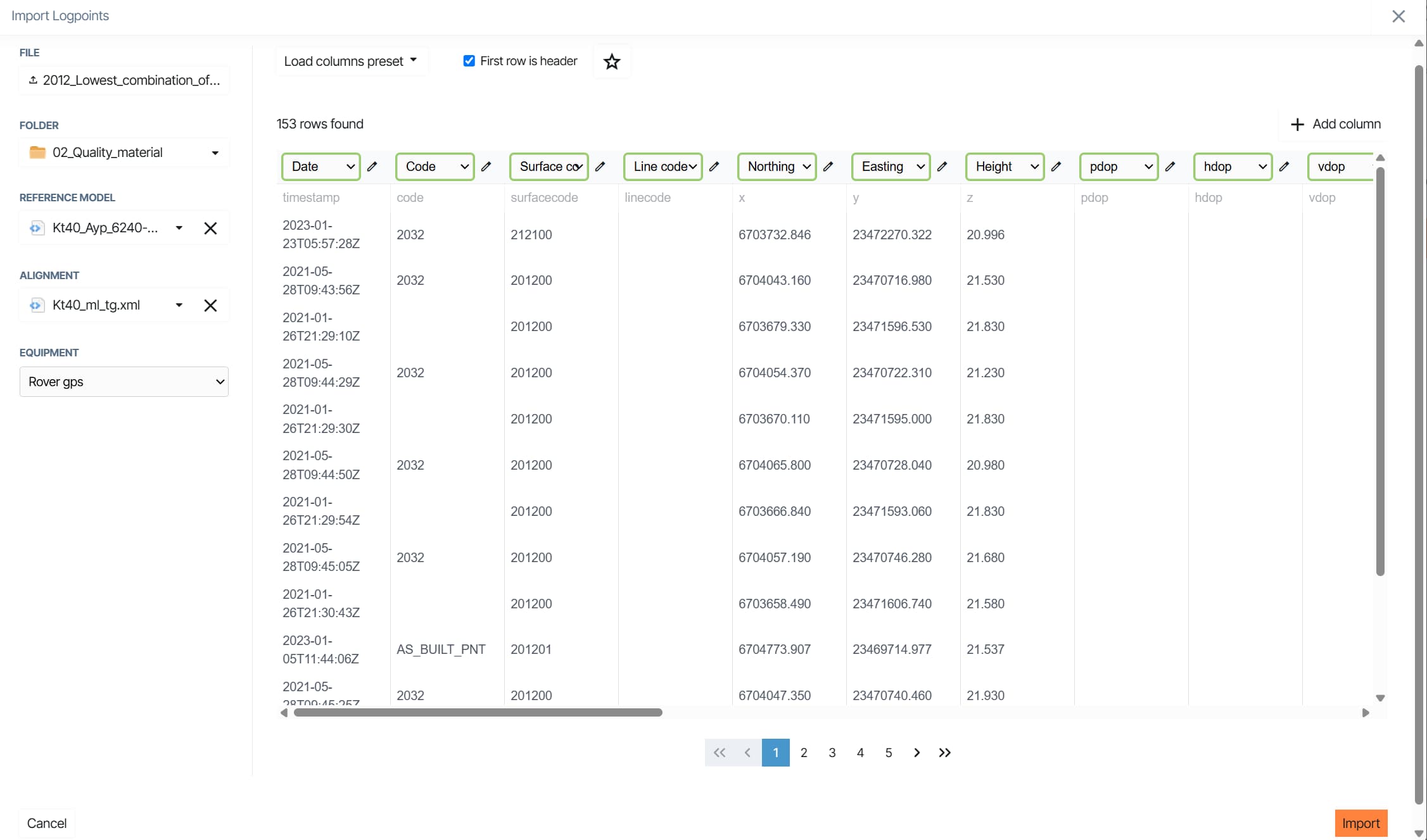
Smarter as-built imports
Missing properties during import can now be added manually or set as defaults per column. Accuracy is visible directly on the as-built page and on the map, so surveyors spend less time fixing data after the fact.
More control over your view
Opacity controls are now available per model, per drawing, and globally in the Designs tab.
Closed beta: early access and a chance to shape what comes next
Two larger initiatives are now live with selected customers.
ISO 19650 workflows and task management
Document workflows on civil projects still often rely on email or separate tools, where approvals get lost and nobody is sure what state a file is in. We are building ISO 19650-compliant workflows with a dedicated Tasks page, so review and approval happen where the files already live, on a foundation built to manage what people actually do on site.
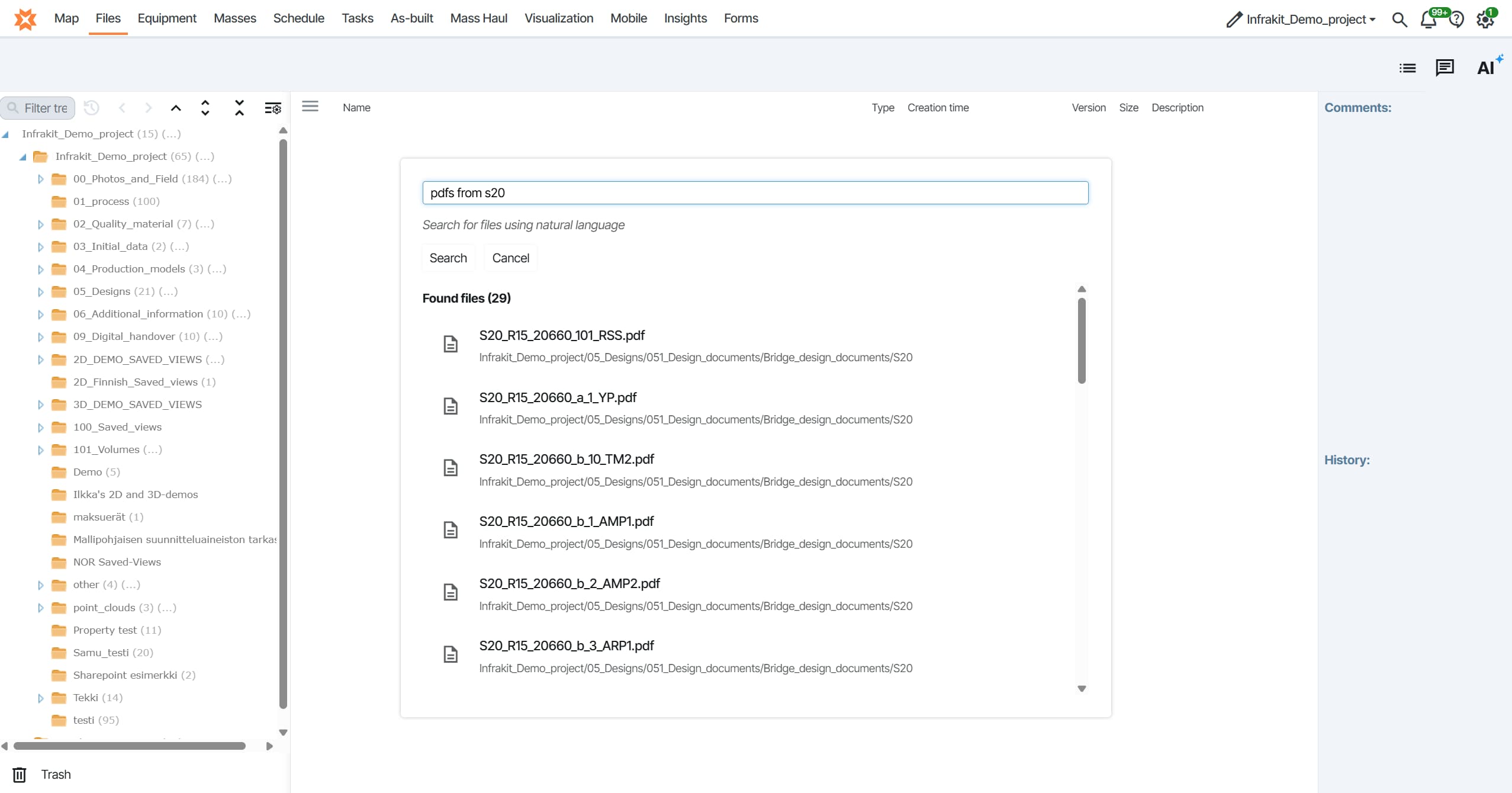
AI File Manager
Finding the right file in a large project should not depend on knowing where someone else filed it. Our AI agent finds files for you and assists with uploads and searching. Describe what you need in plain language, and it does the digging.
Both features are in closed beta. If you are interested, ask your CSM or support whether there is room in the program. Early participants get true early access at no cost, along with a direct line into how these features continue to develop.
Why this release matters
Release 3.9.9 is about cutting out repetitive manual steps from the workflows teams rely on most. One-click volume calculations replace error-prone tracing. Alignment-based mass calculations match how road and rail projects actually plan. Video takes its place alongside the rest of your project documentation, and a redesigned file tree makes navigating large projects faster.
It is a release focused on speed and precision in the tasks you perform every day, while the two closed beta initiatives offer a glimpse of where document workflows and file management are headed next.