
Release 3.9.8 focuses on something very practical: helping you stay in control while working on the map. Whether you are reviewing cross-sections, checking volumes, or navigating project data, this update removes small but frequent friction points and makes your work easier to capture, revisit, and trust.
Instead of introducing entirely new workflows, this release strengthens the ones you already rely on. Measurements persist, views stay intact, PDFs finally behave reliably, and several everyday actions are now faster and more predictable.
Measurements that stay where you left them
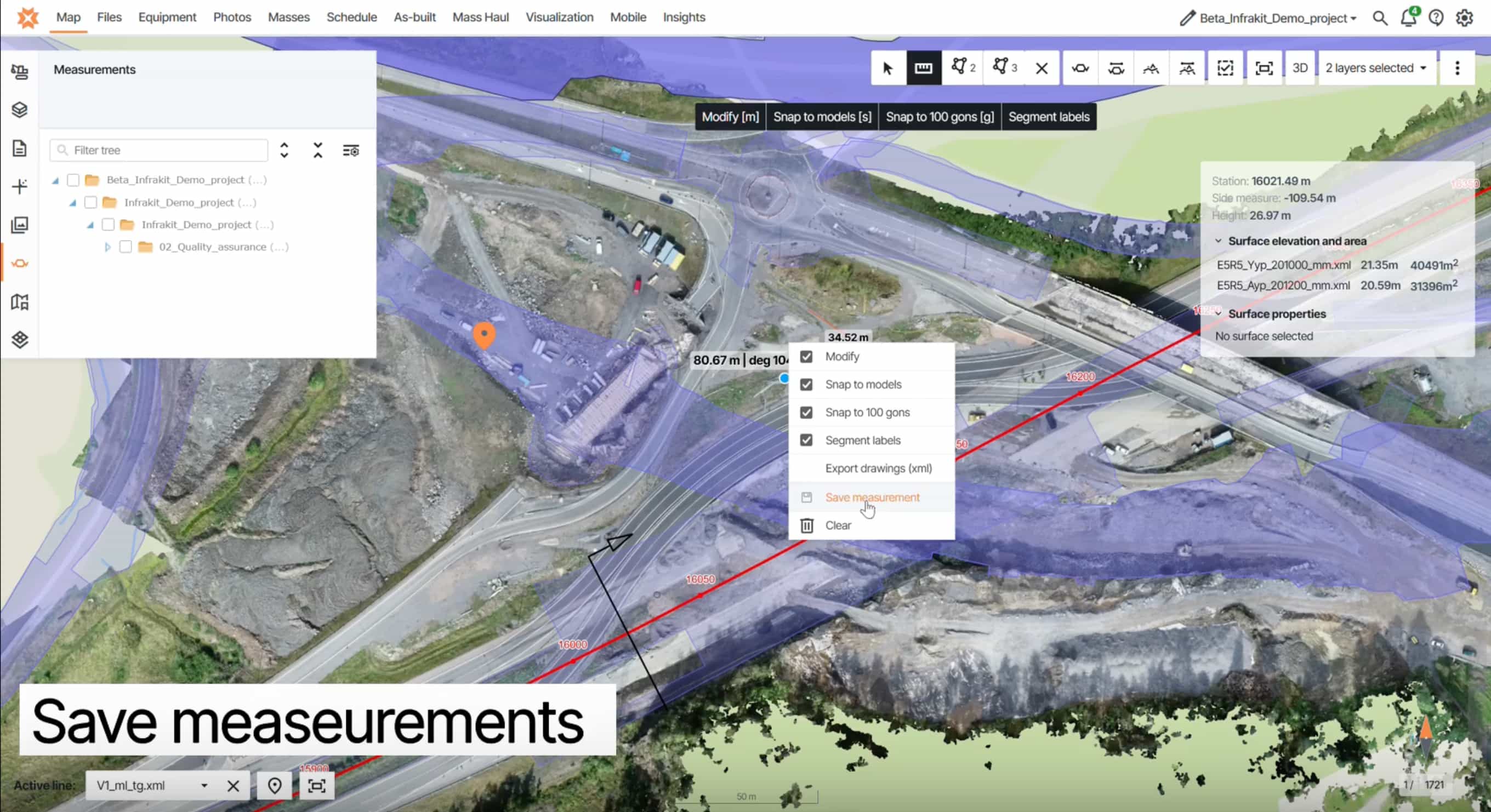
Area and length measurements can now be saved directly on the map and remain available across sessions.
Before, returning to a site often meant re-drawing the same polygons. Now, your measurements stay in place and can be reused whenever needed—and they are visible to other project members, making it easier to collaborate and share reference data.
Why it matters:
- No repeated manual work when revisiting sites
- Shared reference data across teams
- Faster reviews and decision-making on recurring areas
This is a simple change, but one that removes a surprising amount of friction from daily work.
Cross-sections with DEM as a starting point
Cross-section view now supports using a Digital Elevation Model (DEM) as the terrain source.
This means you are no longer dependent on as-built measurement data to begin analysis. On projects where survey data is still incomplete, you can load a DEM and immediately get a reliable terrain reference.
In addition, point clouds can now be drawn as continuous lines in cross-sections. Previously, they were only displayed as individual points, which made comparisons more difficult. Representing them as lines improves readability and makes it easier to compare terrain and design data directly.
Why it matters:
- Start reviewing cross-sections earlier in the project
- Work with incomplete survey data without delays
- Improve context and understanding from day one
- Easier comparison between terrain, point clouds, and design data
For many teams, this shifts cross-sections from a later-stage validation tool to something that supports early planning and coordination.
Reliable PDF viewing without crashes
PDF handling has been significantly improved. Vector PDFs now open consistently without crashing, including files that previously caused issues. Rasterized PDFs also load correctly in attachments.
Why it matters:
- No interruptions during drawing reviews
- Confidence when opening large or complex files
- Less need for external tools or workarounds
If PDFs have been a pain point in the past, this update removes that concern.
Improvements you will notice in daily use
Several smaller features bring more control and clarity to the map experience:
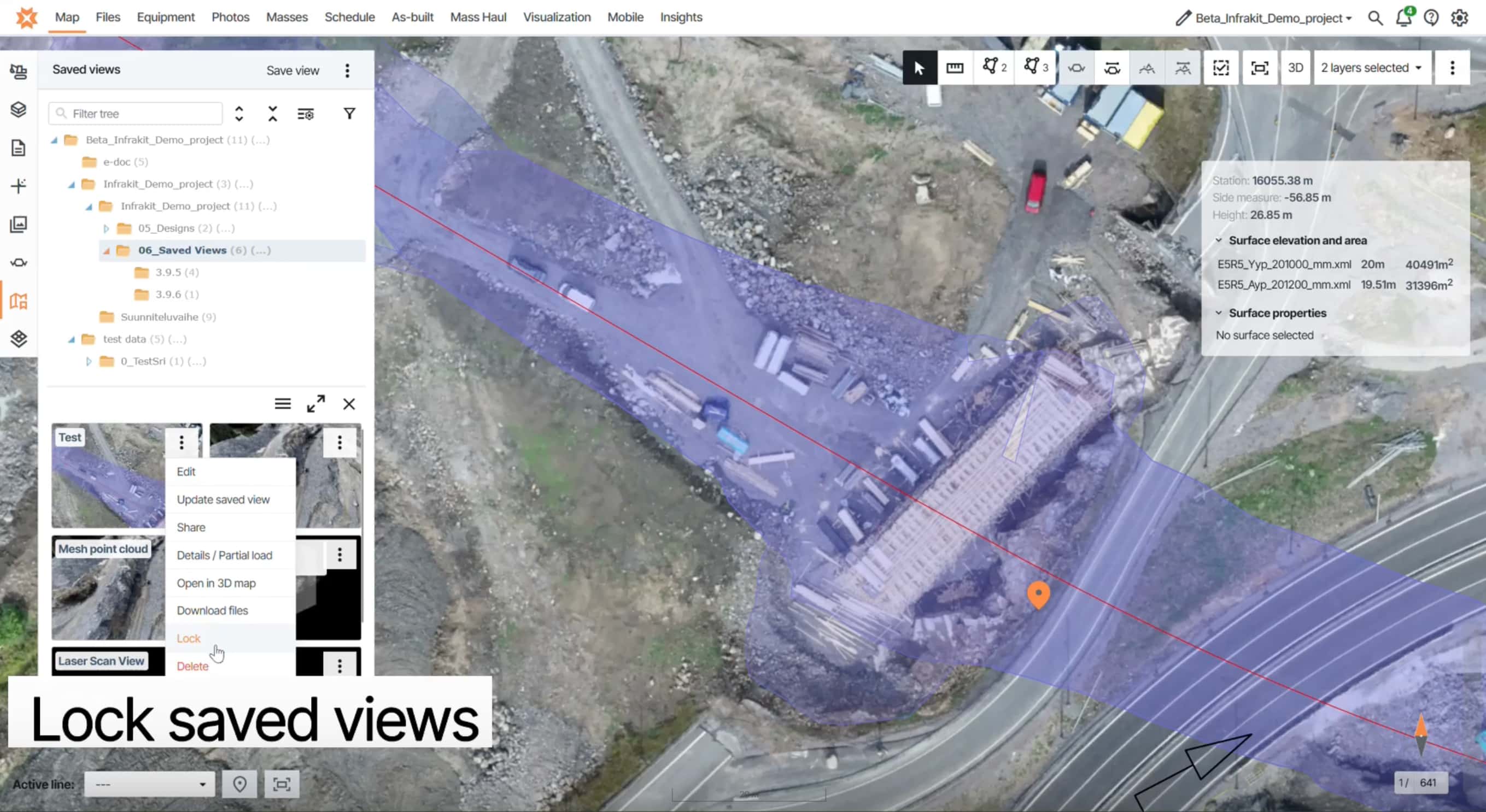
- Lock saved views to prevent accidental edits
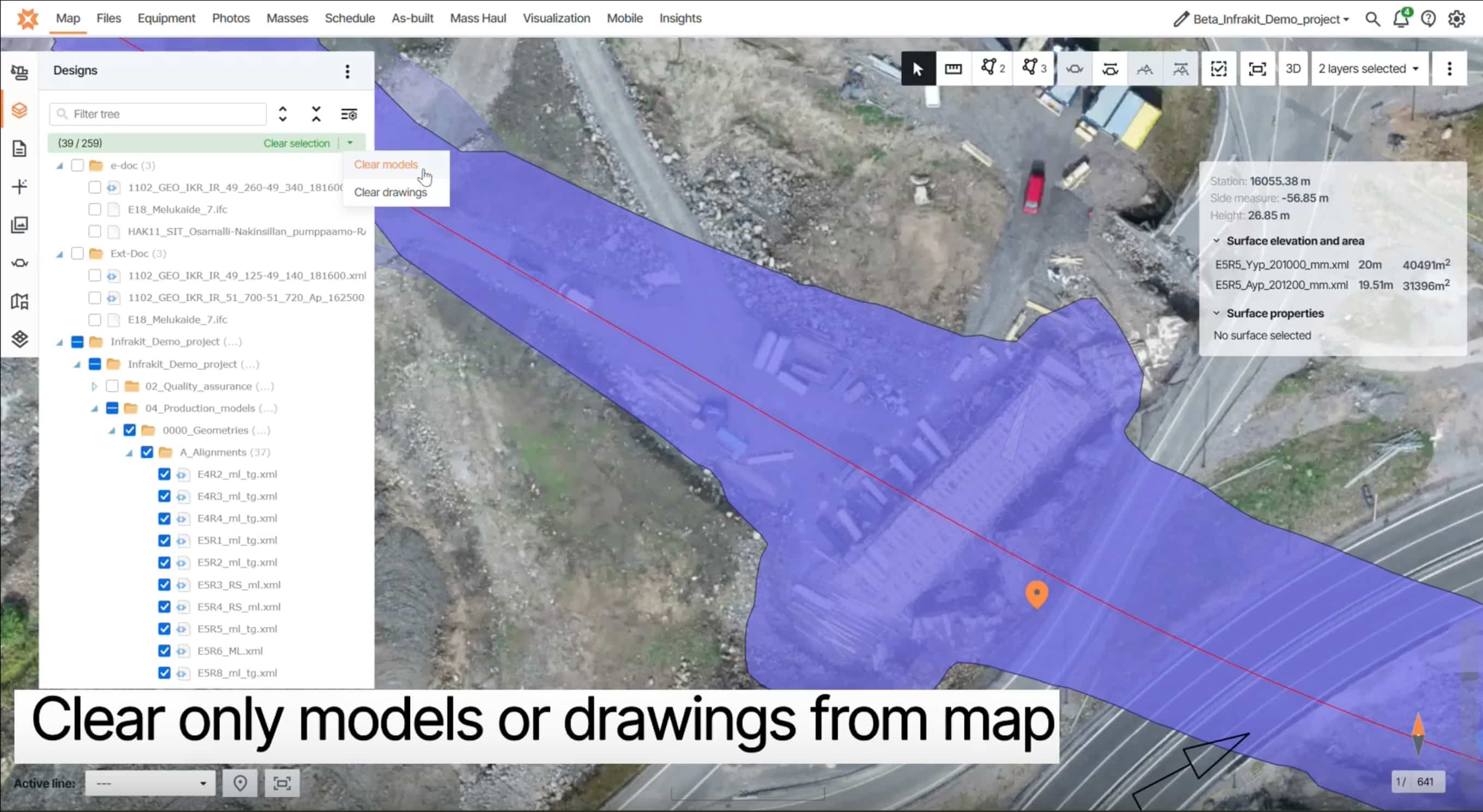
- Clear models, drawings, or all items from the Designs tab in one action
- Set a default jump distance for 360° navigation at project level
- Toggle line label visibility for a cleaner map view
- Hide inactive trucks in Mass Haul view to reduce clutter
- Keep the volume calculation popup visible for screenshots
Each of these reduces small interruptions and helps you focus on the task at hand.
Infrakit interface
Stability and fixes across key workflows
This release also includes a wide range of fixes and improvements that strengthen reliability across the platform:
- Correct photo orientation when uploading to Files
- Equipment panel updates properly after adding trips
- Clear map state now removes all selections correctly
- Map state no longer carries over incorrectly between projects
- Correct rendering order for online and offline devices
- Print area adjustments work at 100% overlay scale
- Mass Haul paths auto-focus on the relevant map area
- “View on map” and “View in 3D” now load selected files correctly
- Touch support for reordering map tile layers
- Updated SSO login URL
- Select-all works in As-built tab
- New templates appear at the top of the list
- Orthophoto batch exports no longer produce corrupted zip files
In addition, the file upload process has been significantly improved on a structural level. A major architectural update makes uploads more secure and increases system stability and capacity, resulting in a more reliable experience when working with project files.
These are not headline features, but they remove friction from many parts of the product and make the overall experience more stable.
Why this release matters
Release 3.9.8 is about consistency and control. It makes sure that what you create stays where you expect it, that key tools like PDFs work reliably, and that everyday actions require less repetition.
With persistent and shareable measurements, earlier access to terrain context through DEM-based cross-sections, improved point cloud visualization, stable PDF viewing, and a set of targeted usability improvements, this release supports smoother workflows without changing how you work.
It is a focused update, but one that improves daily efficiency across both office and field use.